Credit utilization, tracked to the day
Your score is set on the statement date.
Not the due date.
LimitKeep tracks every card against its own statement closing date and tells you what to pay — and when — to report the number you actually want.
No bank loginNo credentials storedNothing to connect
The problem
Paying on time isn't the same as reporting low.
Card issuers report your balance once a month, on the statement closing date. Whatever sits on the card at that moment is what the bureaus see — and what your score is calculated from.
Pay a $2,400 balance in full on April 2nd, three weeks after your statement closed at $2,400 on a $4,000 limit? You paid perfectly. You reported 60%.
Most people never see the gap. They see a paid-off card and a score that won't move, and they conclude the system is arbitrary. It isn't. They're just optimizing against the wrong date.
- Credit limit
- $4,000.00
- Statement closes
- Mar 12
- Balance at close
- $2,400.00
- Payment due
- Apr 2
- Paid
- $2,400.00
- Days late
- 0
- Utilization reported
- 60%
Amounts owed accounts for roughly 30% of a FICO score — the second-largest factor after payment history. Source: FICO's published score composition.
How it works
Three numbers, one screen.
- STEP 01
Add your cards
Limit, balance, payment due date. About ninety seconds per card, once — or, on Pro, upload a statement and check what it read.
- STEP 02
See the real number
Per-card and total utilization, calculated against each card's own cycle. Not a monthly average. Not an estimate.
- STEP 03
Know what to pay
The exact amount to pay before each statement closes to land under your target — 30%, 10%, 1%, whatever you're chasing.
What that looks like, for real
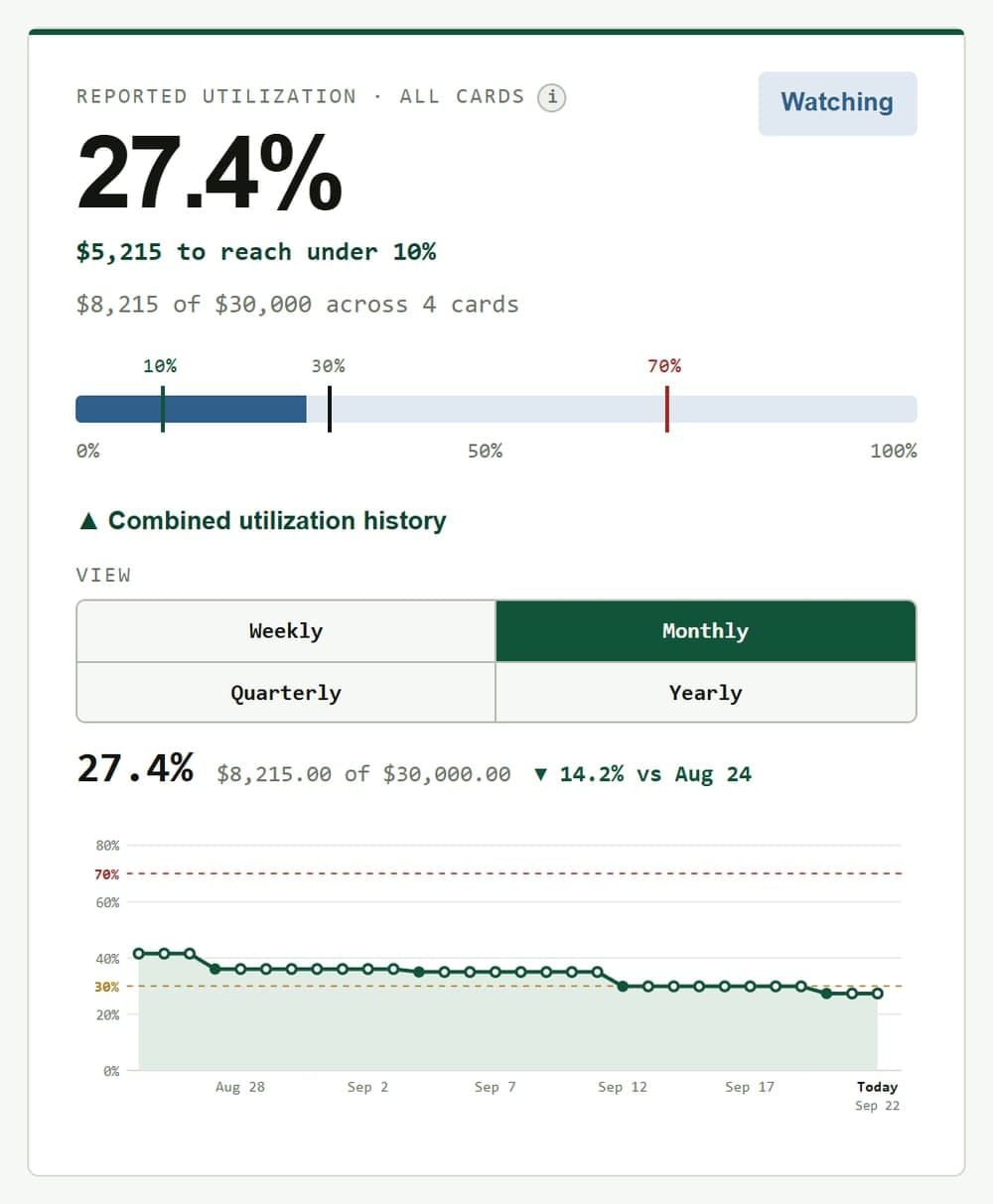
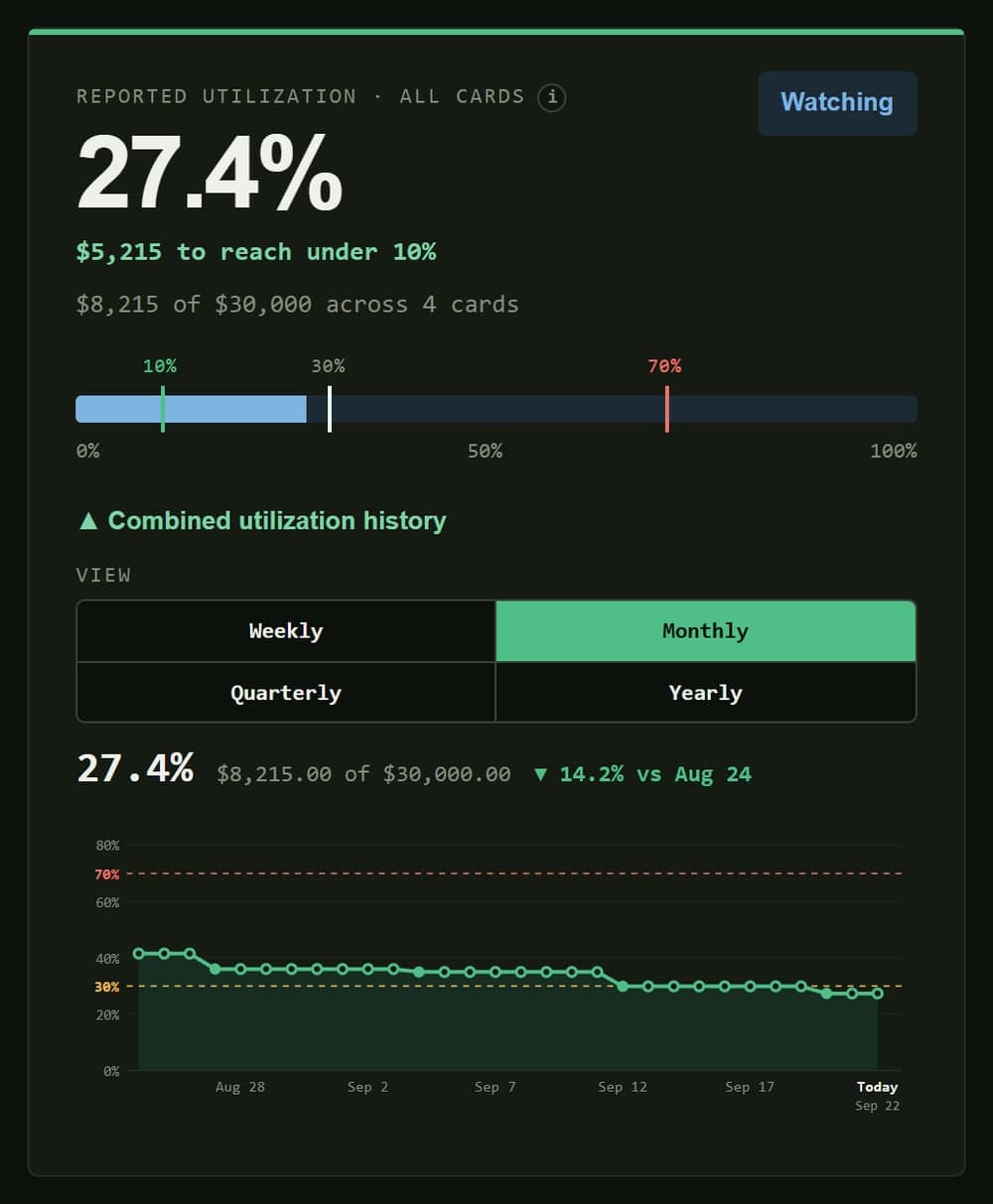
One number for the whole wallet, plus the trend that got you there.
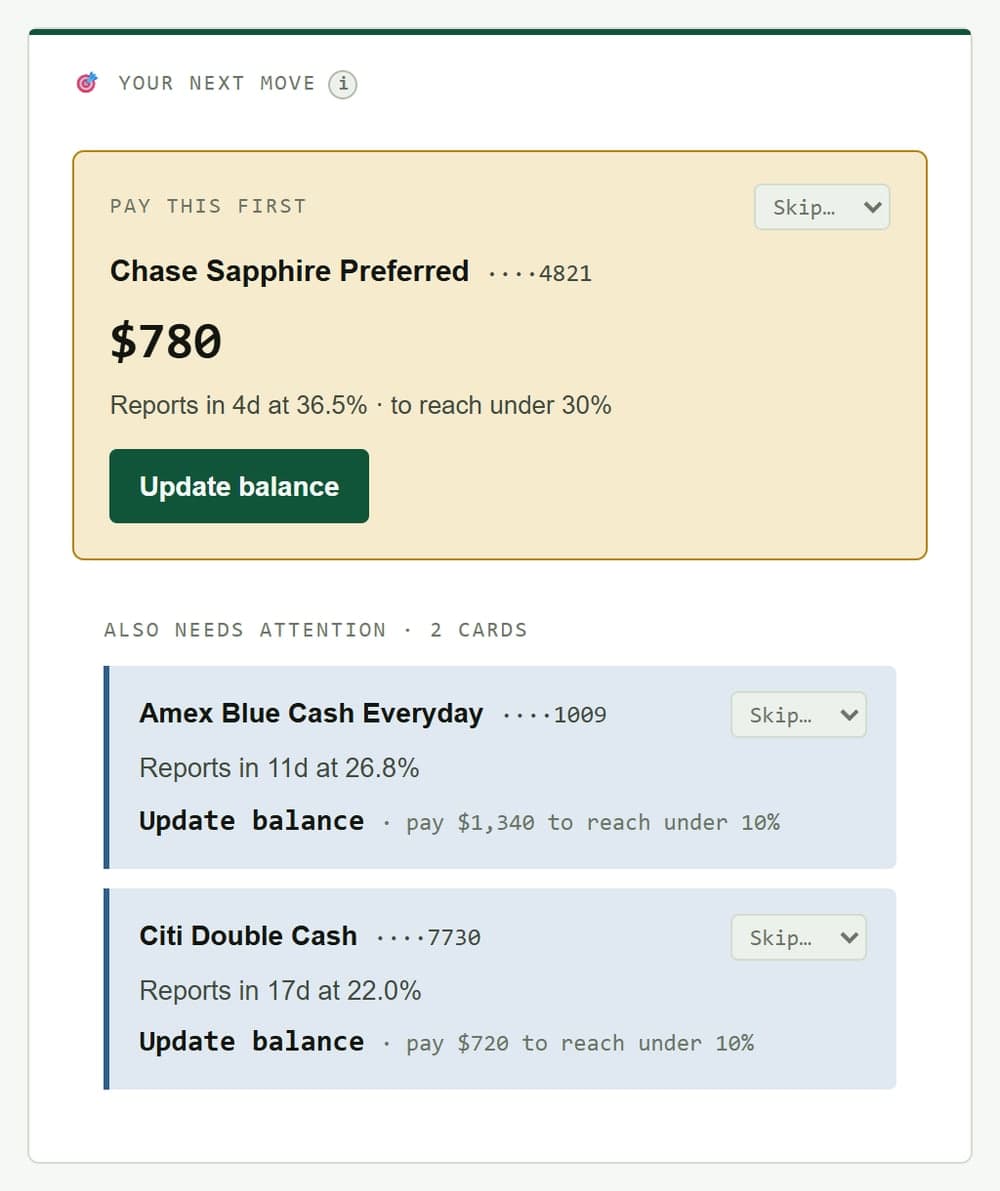
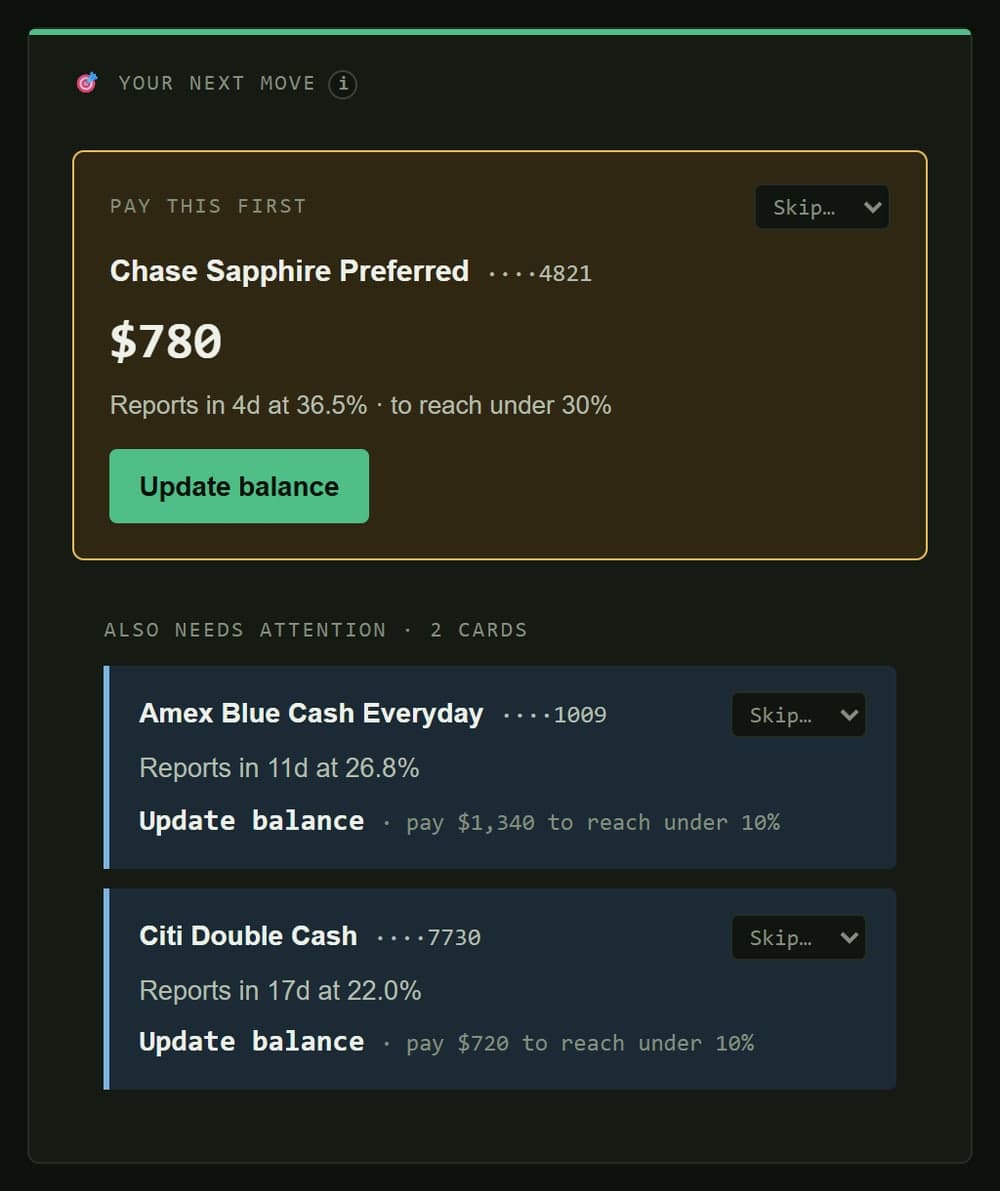
Not a status readout — an amount and a deadline.
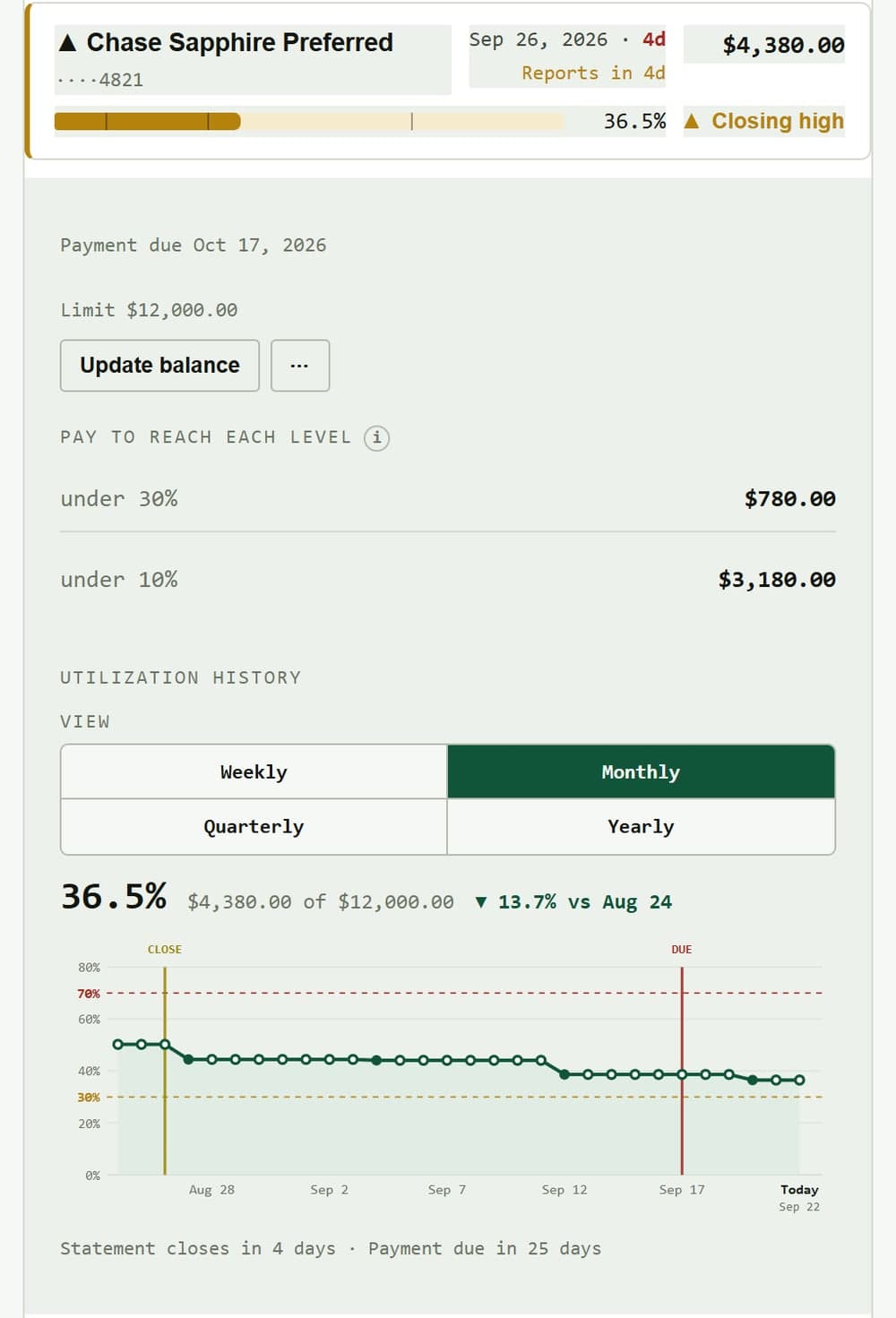
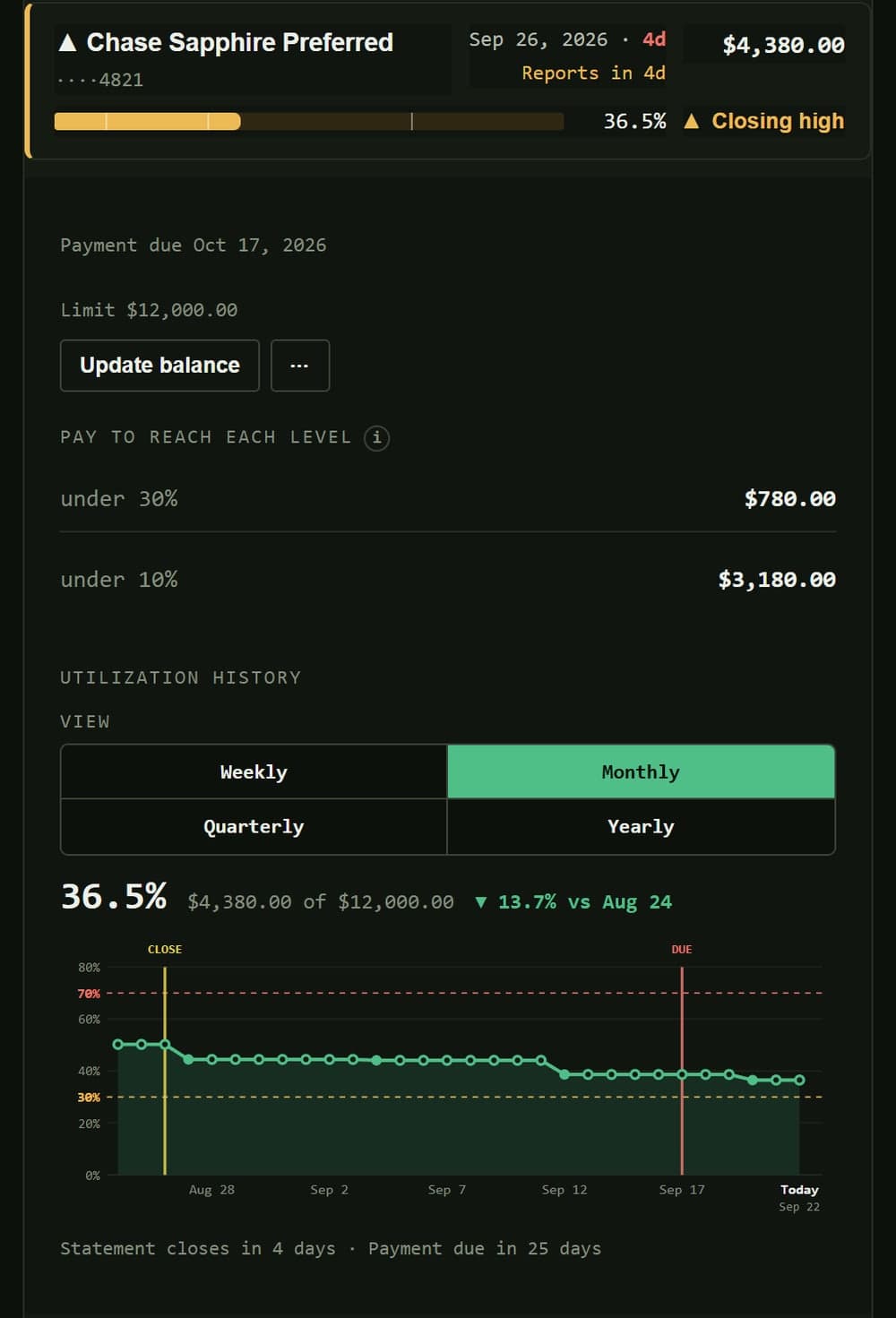
Every card tracked on its own statement cycle, not a shared guess.
Per-card statement tracking
Every card closes on a different day. LimitKeep tracks each on its own cycle, so you're never guessing which window you're in.
The payoff number
Not a status readout. An instruction with a deadline attached.
Pay $612 by Thu Mar 12 → reports 28%Reminders before it reports
An email or browser notification a few days before each card reports and before each payment is due. On Pro, set your own target, warning, and critical levels.
Planning tools Lite
Split extra cash across your cards, pick the right card for a purchase, and see how long payoff takes, month by month. Pro adds a highest-APR-first (avalanche) payoff order.
History you can fix
Every balance change is logged. Delete a wrong entry and every balance after it corrects itself. On Pro, edit or backdate entries too.
Interest, accounted for Pro
Turn on APR tracking to see the interest building this cycle and log interest charges as they post — and get paydown amounts that cover the interest your next statement will add.
Simulation mode Pro
Try a what-if — a big purchase, an extra payment, a target utilization — without touching your real numbers. Apply it when it's real.
Statement upload Pro
Upload a PDF or photo of a statement and LimitKeep reads the balance, transactions, interest, and APR. You check it all before anything is saved.
Your data stays yours
No bank credentials, no aggregator, no read access to your accounts. There are no bank logins to leak, because nothing is connected.
The tradeoff, stated plainly
Why you enter balances yourself.
Automatic syncing means handing your bank credentials to a data aggregator and giving a third party standing read access to your accounts. Plenty of apps do it. It's a real tradeoff, and we'd rather you make it consciously.
LimitKeep is manual by design. You update balances when you check your cards — which, if you're optimizing utilization, you're already doing. Ninety seconds a week, and nothing about your accounts leaves your control. On Pro you can upload a statement instead of typing: it's read once to fill in the numbers, and the file isn't kept.
Bank logins, OAuth handoffs, or any third-party aggregator holding read access to your accounts
Selling, brokering, or "anonymizing" your spending data for anyone else's product
Card offers, affiliate links, or a referral engine dressed up as a recommendation
Type a balance and a due date per card, or upload a statement. Update it when you check your cards anyway
Optional automatic sync, for people who want it. Optional, never required
Who builds this
One person, in public.
Built by SPEN10
LimitKeep is a solo project. No investors, no growth team, and no incentive to sell your data — the business model is people paying for software that works. When something breaks, you're emailing the person who wrote it. spen10.com
Pricing
Free until you have enough cards to need more.
- Up to 10 cards
- Utilization and status for every card
- Statement close and due date tracking
- What to pay to get under each threshold
- Email and push reminders before each card reports
- Monthly chart and weekly History summary
- Simple mode
or $49.99 / year 2 months free
- Everything in Free, plus:
- Unlimited cards
- Every chart timeframe and History range
- Sort and filter your cards
- Full needs-attention list
- Quick update: every balance in one pass
- Cash allocation, purchase, and payoff planners
- Data export
- All color palettes
or $79.99 / year 2 months free
- Everything in Lite, plus:
- Advanced mode (switch back to Simple anytime)
- Log payments, charges, and interest on any card, backdated if needed
- Editable, backdatable History
- Utilization slider and Simulation mode
- Statement upload
- AZEO planning
- Custom thresholds and closing window
- Avalanche payoff order and projections from your logged payments
- Optional APR tracking, with paydown amounts that account for upcoming interest
Questions
The ones people actually ask.
Does this affect my credit score?
No. LimitKeep never touches your credit report and never contacts your issuers. It's a calculator and a calendar for numbers you give it.
Do I have to connect my bank?
No — there's nothing to connect. You enter balances yourself, which is the whole point. On Pro you can upload a statement for LimitKeep to read instead of typing it.
How often do I update it?
Once per card per cycle, before your statement closes. LimitKeep reminds you with a few days of runway.
What utilization should I target?
Under 30% is the common advice. Under 10% is better. Around 1% on a single reporting card tends to score best of all. Set whatever target you're chasing — LimitKeep does the arithmetic against it.
What happens to my data if I cancel?
On Lite and Pro, export everything in one click; on Free, email us and we'll send it. Delete your account from Profile → Delete account: you get 30 days to change your mind, then it's gone for good.
What happens to statements I upload?
They're read by our AI provider to pull out the numbers, and shown to you to check. The file itself isn't stored — only the entries you confirm are saved. The privacy policy has the details.
Stop reporting a number you didn't choose.
Add your cards, set your target, and know exactly what to pay before each statement closes.
No card requiredNo bank login10 cards free, forever